
How freelancers add or remove a spouse from health coverage after

Last updated: November 19, 2026
Key Takeaways
- A spouse change is a household update after marriage or divorce, and the insurer or marketplace adjusts the policy.
- To add a spouse, report the marriage and submit the marriage certificate and any required identity details.
- To remove a spouse, report the divorce and send the divorce decree as proof.
- Check the plan type, event date, and accepted document before you submit anything.
Freelancers usually change spouse coverage by reporting a marriage or divorce to the insurance carrier or marketplace and sending the right proof. How freelancers add or remove a spouse from health coverage after marriage or divorce is usually administrative, not complicated, but the timing and documents matter. The steps below show what gets filed, when coverage usually changes, and where people trip over effective dates.
Who this applies to, and what it assumes
This applies to freelancers in the United States who buy health insurance through a marketplace or directly from an insurer, and who need to add or remove a dependent spouse after marriage or divorce. It assumes you already have an active policy and can get copies of your marriage certificate or divorce decree.
If your coverage is through an employer, union, Medicaid, Medicare, or a short-term policy, the paperwork can look different. If the spouse change is tangled with a separation, custody fight, or a court order about coverage, that is not a simple admin task. Consult the insurer or marketplace before you file anything, because the document rules can differ.
For the broader picture on household changes, see the hub on Managing Coverage Changes as a Freelancer.
A dependent is a person the plan allows you to cover under your policy. For spouse changes, the question is usually not “Can I make the change?” but “What document, what date, and what system does the plan use?”
What changes after marriage or divorce?
The spouse change is usually handled as a household update tied to a qualifying event, then the insurer or marketplace adjusts who is on the policy. The exact rules vary by state and plan, but the admin flow is similar: report the event, upload proof, and confirm the new effective date.
A coverage effective date is the day the spouse is actually covered or removed. That date may be the marriage date, the divorce date, the first of the next month, or another date set by the carrier’s rules. Don’t assume it changes the day you click “submit.”
Here’s the catch: a marriage and a divorce are not mirrored paperwork. One adds a spouse as a dependent; the other removes that spouse and may also change the household size used for subsidy calculations on the marketplace.
- Marriage usually means you add the spouse, list both names and dates, and upload the certificate.
- Divorce usually means you remove the spouse, upload the decree, and check whether any children remain on the policy.
- A legal separation may or may not change coverage, depending on the plan and state rules.
- If the spouse was never a dependent on your plan, the action may still affect household data.
How do freelancers add a spouse after marriage?
You add a spouse by reporting the marriage to the marketplace or insurance carrier, then submitting the marriage certificate and any identity details the plan asks for. The usual action window is measured in days or weeks, not months, because insurers process household changes as time-sensitive events.
Follow the paper trail in order
-
Log in to the account that controls the policy. Use the insurer portal or marketplace account, not a spouse’s separate login. Verify the policy number and current covered members. If you cannot find the policy record, the change request can stall.
-
Report the marriage event. Choose the household or enrollment change option and enter the marriage date exactly as it appears on the certificate. Verify the date format matches the site’s fields. If the system rejects the date, you may be in the wrong event screen.
-
Upload the marriage certificate. Use a clear copy of the full document, not a cropped image of the signature line. Verify the names match the policy record. If the certificate shows a different legal name, the insurer may ask for a name-change document too.
-
Add the spouse as a dependent. Enter full legal name, date of birth, Social Security number if requested, and address. Verify each field against the ID card or government record. Missing one digit can delay enrollment or create a mismatch.
-
Check the plan selection screen. Some systems show only the current plan; others let you compare coverage options during the change window. Verify whether the spouse is being added to the existing plan or whether the household must pick a new one. If the screen shows no plan choices, the system may be treating this as a data update only. Consult the carrier or marketplace if the screen does not match the event you reported.
-
Review the effective date. The carrier or marketplace should display when the spouse’s coverage starts. Verify whether the date is immediate, retroactive, or set to the first of a month. If the date shown does not match the event rules you were told, stop and ask for written confirmation from the carrier or marketplace.
-
Save confirmation pages and reference numbers. Download the confirmation or screenshot the approval screen before closing the session. Verify the spouse’s name appears in the covered member list. If no confirmation number appears, assume the request is not finished.
-
Watch for the first invoice or premium change. Adding a spouse can change the premium amount or subsidy calculation. Verify the next bill or autopay amount before the due date. If the premium does not change after the update, the carrier may not have processed the request yet.
For plan-specific instructions, the insurer’s member services page and HealthCare.gov’s change-reporting guidance are the right starting points. See HealthCare.gov: report changes and special enrollment basics for related timing rules.
How do freelancers remove a spouse after divorce?
You remove a spouse by reporting the divorce to the marketplace or carrier and sending the divorce decree as proof. The plan then updates the dependent list and resets the household record. This is usually faster than a new enrollment, but it can still take a few business days to process.
The key document is the divorce decree, the final court order ending the marriage. A separation agreement may not be enough by itself, because the plan may ask for the final decree. If the plan wants the final decree, that is the document that usually controls the removal request.
Do the removal steps in this order
-
Open the current policy record. Start from the account that lists both spouses. Verify the covered member names before making changes. If the spouse is already missing, the issue may be a prior processing error, not a new removal.
-
Report the divorce date. Enter the date the marriage legally ended, not the date you moved out. Verify the date against the decree. If the system asks for a separation date instead, that is a sign the insurer uses a different household screen and you should read the prompt carefully.
-
Upload the divorce decree. Use the final decree, not a temporary order unless the plan specifically asks for it. Verify that the court document shows the judge’s signature or final filing stamp, if required by the carrier. A draft decree is not enough.
-
Confirm which dependents stay covered. If children remain on the plan, check that they are still listed correctly. Verify each dependent’s coverage status separately. A wrong click can remove the spouse and a child together.
-
Check the premium and subsidy impact. Removing a spouse often changes the household size and may change the price or marketplace subsidy. Verify the new monthly amount before the next billing cycle. If the bill still shows the old household, the change may not have posted.
-
Ask for the effective end date. The insurer should show when spouse coverage stops. Verify whether the removal is tied to the divorce date or to the end of a billing period. If the plan cannot state the date, do not assume the spouse is no longer covered.
-
Save the confirmation in two places. Keep the approval email and a PDF or screenshot. Verify the spouse disappears from the active dependent list. If the record still shows the spouse after confirmation, follow up right away.
A clean removal is paperwork plus timing. The truth is, the hardest part is often the billing cycle, not the form itself.
What should you check before you file the change?
You should check your plan type, the exact event date, and the document the carrier accepts before you submit anything. One careful pass can prevent a 30-minute call from turning into a week of back-and-forth.
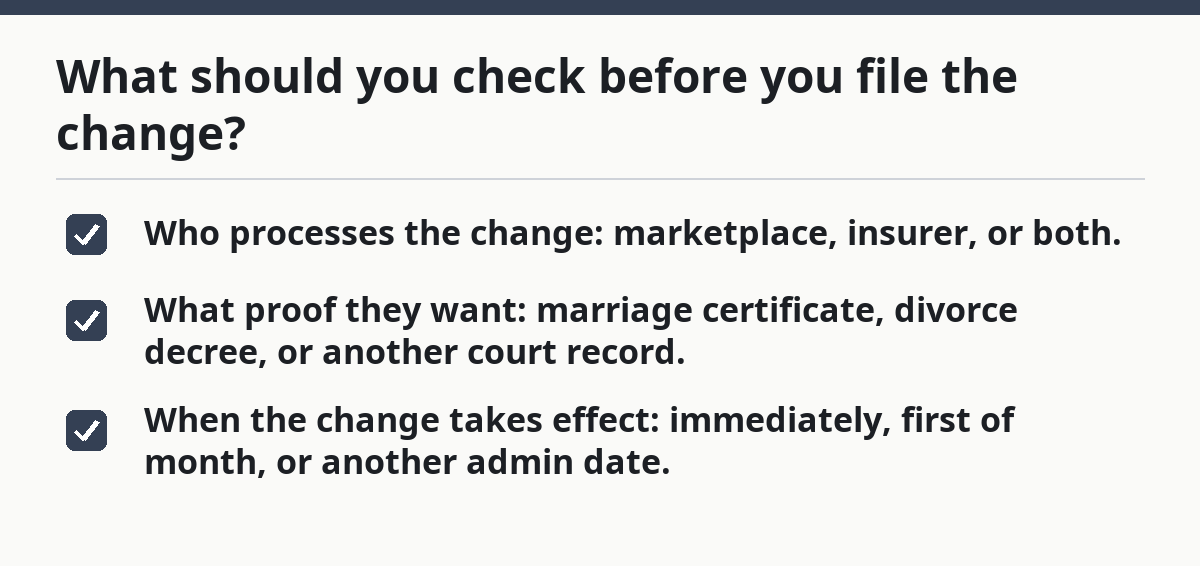
Three checks matter most:
- Who processes the change: marketplace, insurer, or both.
- What proof they want: marriage certificate, divorce decree, or another court record.
- When the change takes effect: immediately, first of month, or another admin date.
If you use a marketplace, read the household section carefully. If you bought directly from an insurer, the carrier may still ask for a marketplace-style event notice or a separate dependent form. In many cases, the systems use different fields for the same event.
If the spouse is the only person being added or removed, the account may still ask about the rest of the household. That is normal. It is not a request to change every person on the policy.
- Keep a scan of both court documents in PDF form.
- Use the exact legal names that appear on ID and court papers.
- Check the mailing address, because notices still go there in many cases.
- Save dates and reference numbers in one note, not three different apps.
See also special enrollment periods and marketplace vs direct insurer for related process differences.
What goes wrong most often?
The most common failures are missing proof, wrong dates, and assuming the coverage change happened when only the form was submitted. Those mistakes can leave a spouse uninsured for a gap or keep a removed spouse listed on the policy longer than expected.
Here are the ones that show up again and again:
-
Uploading the wrong document. A marriage license draft or unsigned separation paper is not the same as a certificate or final decree. The result is a stalled request. Use the final document the plan asked for.
-
Entering the event date from memory. A one-day error can shift the effective date or trigger a denial. The fix is to copy the date from the court record, not from a calendar guess.
-
Not checking the dependent list after submission. People stop at the confirmation screen. The result is a false sense of completion. The correct step is to confirm the spouse appears or disappears in the final account summary.
-
Ignoring the premium change. A spouse addition can raise the monthly bill; a removal can lower it. If you keep paying the old amount, the account may go out of sync. Check the next invoice, not just the receipt page.
-
Assuming separation equals divorce. In many places, those are different legal statuses. The consequence is filing the wrong event. The safer move is to match the paperwork to the actual legal status the plan asks for.
-
Forgetting the spouse may still be eligible for other coverage. That is a separate issue from your policy administration. Do not use your own plan screen to guess what happens elsewhere.
When does the standard process not apply?
The standard process needs extra care when the paperwork is incomplete, the plan is employer-linked, or the household change is only partially final. In those cases, the usual online form may not be enough.
The divorce is not final: you may not have the final decree yet — wait for the final court order or ask the carrier what interim proof it will accept.
The marriage certificate has a new name on it: the name mismatch can block the dependent record — upload matching ID or a legal name-change document if the carrier requests it.
The spouse is already on another active policy: the system may flag duplicate dependent coverage — verify the policy records before submitting a second enrollment request.
The plan is through a marketplace with subsidy changes: the household update can affect tax credit amounts — review the marketplace notice before the next payment date.
The account is jointly managed after separation: a former spouse may still have access to the login — change the password and recovery email after the legal change is processed.
If the form screen gives you conflicting instructions, pause and call the insurer or marketplace for written guidance. A carrier representative can confirm which screen to use and which document they want.
What does a clean spouse change look like?
A clean spouse change shows up in three places: the confirmation notice, the active dependent list, and the next bill. If those three match the paperwork, the process usually worked as intended.
A good result has these signs:
- The spouse appears on the policy after marriage, or disappears after divorce.
- The effective date matches the court document or plan rule.
- The premium or subsidy update appears on the next statement.
- The confirmation number is saved with the proof document.
A messy result usually has one of these signs instead:
- The spouse is missing from the active list but still appears on the billing summary.
- The event was reported, but no confirmation number was issued.
- The insurer asked for a second upload because the first was unreadable.
- The household size on the marketplace does not match the policy record.
If that happens, go back to the last confirmed step and recheck the document and date. That is usually faster than starting from zero.
What should freelancers remember before they hit submit?
They should remember that spouse coverage changes live or die on document quality and effective dates, not on a quick checkbox. Marriage certificate in, divorce decree out, dependent list checked, confirmation saved. That is the whole game.
This is general information, not legal advice. If your divorce order, name change, or household record is unusual, a qualified lawyer should be consulted.
Does marriage let me change plans right away?
Yes, marriage usually lets you report a household change right away, but the exact effective date depends on the carrier or marketplace rules. The practical step is to submit the marriage event as soon as you have the certificate and to confirm whether the new coverage starts immediately or on the first of the next month. HealthCare.gov says qualifying life events generally trigger a special enrollment period, often 60 days.
What documents do I need after divorce?
You usually need the final divorce decree, plus any account details the insurer asks for. The decree is the key proof because it shows the marriage ended on a specific date. If the plan asks for extra identity documents or a name-change record, send those in the same upload packet.
Can my spouse stay on my plan after separation?
Maybe, but separation alone does not always change coverage the way divorce does. The answer depends on the plan and the legal status recognized by the carrier or marketplace. If the separation is only informal, the spouse may still remain listed until the policy is updated with the proper legal document.
Drafted with AI; not yet reviewed by a person.