How to Update Health Insurance After Freelance Income Changes

Last updated: November 19, 2026
Key Takeaways
- Update the marketplace estimate, then confirm the premium tax credit and monthly premium changed.
- Check whether the income change is temporary, ongoing, or one-time.
- Get help when the change is too messy to estimate or affects eligibility in more than one way.
- Enter net freelance income, not gross receipts, if that is what the marketplace uses.
If your freelance income changed, the fix is usually to update your health insurance application in your marketplace account as soon as the change is real enough to affect your annual income estimate. How to change health insurance after your freelance income changes starts with that update and ends with checking the new premium. This page explains how to report the change, what to verify on the coverage year record, and when the premium tax credit or monthly premium may shift.
Quick Answer: update the application in your marketplace account, then check the new premium and tax credit. In many cases, the change shows up in the current coverage year after the system recalculates.
This is information, not financial advice. For your own situation, especially if your income is irregular, seasonal, or mixed with W-2 work, a qualified tax or benefits adviser can help you avoid a bad estimate.
Who this applies to, and what you need first
This applies to freelancers, independent contractors, sole proprietors, and gig workers who already have marketplace coverage and need to update an existing enrollment after income changes. It assumes you already have a marketplace account, know the coverage year you are in, and can estimate your household income for the rest of that year. It also assumes you are not starting a new application from scratch.
You need three things before you touch the form: your current income estimate for the year, the date your income changed, and any proof the marketplace asks for, such as recent invoices, pay records, or a contract change. If you have both freelance income and wages from another job, gather both sources. A common problem is updating only the freelance number and forgetting the rest of the household estimate; that can distort the tax credit calculation for the entire year.
This is the right approach if you want to keep your coverage updated midyear and avoid an estimate that is obviously out of date. It is not the right approach if you are trying to decide whether to buy marketplace coverage in the first place, or if you need help with eligibility rules tied to a move, marriage, or other life event. Those belong on a separate enrollment or life-event page. The hub on enrollment, eligibility, and life events is the right place to start if the change is not only about income.
For official guidance, two useful references are the HealthCare.gov pages on reporting income changes and on income and household changes, plus your state marketplace if you use one. The details differ by country, state, and coverage year, so the local rules control.
How do you change health insurance after your freelance income changes?
You update the income estimate in your marketplace account, then confirm the system recalculates your premium tax credit and monthly premium for the rest of the coverage year. The core task is not “changing insurance” in the sense of switching plans; it is changing the application record that drives eligibility and subsidy amounts.
Use this sequence in order:
- Log in to your marketplace account. Open the current application linked to your active policy, not a past application or saved draft. Verify the coverage year on the dashboard. If you land on last year’s record, stop and switch to the active year; an update in the wrong year will not fix current premiums.
- Select the income-change or application-update path. Choose the option for reporting a change in income, household, or yearly estimate. Verify the form asks for projected annual income, not just monthly freelance earnings. If the site only lets you enter one month, that is a warning sign that you are in the wrong workflow.
- Enter your revised income estimate for the rest of the coverage year. Include freelance net income, wages, and any other countable household income the application asks for. Use the current annual projection, not a best-case month. Check whether the form asks for pre-tax or after-expense amounts; freelance applications often use net self-employment income, not gross receipts. If you are unsure which figure the marketplace wants, pause and get that answer before submitting.
- Update the date the change happened. Record when income rose or fell, even if the marketplace later uses the estimate for the full year. Verify the date is entered in the format the system requires, usually month/day/year or a dropdown date picker. A wrong date can delay any premium adjustment or trigger an unnecessary verification request.
- Review the subsidy and premium preview. Look for changes to your premium tax credit, advanced premium tax credit, or monthly payment amount. The system should show a new estimated monthly premium after the update. If the number does not move at all after a large income change, something may be incomplete in the application or your income may still fall inside the same eligibility band.
- Submit the update and save the confirmation. Finish the transaction and download or screenshot the confirmation page. Verify you receive a reference number, notice, or inbox message. No confirmation means no clean record if the marketplace later says the change was never reported.
- Check your next billing notice and policy documents. Review the updated premium invoice, insurer notice, or marketplace letter. Confirm the change is reflected for the correct effective month. If the insurer still bills the old amount after the marketplace update, the problem may be processing lag rather than a failed application.
- Answer any verification request fast. If the marketplace asks for documents, upload them by the stated deadline and make sure the pages show the income period in question. A missing attachment, cropped file, or unreadable scan can suspend the update. Verify the portal marks the case complete, not just “received.”
The result you want is straightforward: your application shows the new income estimate, your premium or tax credit reflects that estimate, and your plan stays active without a surprise gap in coverage. If you are unsure whether your income moved enough to matter, update anyway when the estimate is materially different; waiting until tax time is the expensive version of this mistake.
For a technical term: advanced premium tax credit is the monthly subsidy the marketplace can apply in advance to lower your premium. It is reconciled later against your actual annual tax situation, which is why the estimate matters. For official federal guidance, see HealthCare.gov on income and household changes and HealthCare.gov on reporting changes.
What should you check before you submit the change?
You should check whether the income change is temporary, ongoing, or one-time, because that determines what number belongs in the annual estimate. A one-month spike from a large project is not the same as a permanent rate increase. If the contract ends in 6 weeks, do not project that rate across all 12 months unless you truly expect the work to continue.
Start with these checks:
- Compare your current year-to-date freelance income with what remains in the year.
- Add any W-2 wages, spouse or partner income if the application requires household income, and other taxable income categories the form asks for.
- Subtract business expenses only if the application uses net self-employment income, which is common for marketplace forms.
- Decide whether the change affects only the current month or the rest of the 12-month coverage year.
- Read the marketplace notice or help text for your state, because some systems ask for a new annual estimate while others ask for the change and then recalculate automatically.
The most common judgment error is overcorrecting. A freelancer who has one bad month may drop the estimate too far and create a later mismatch; a freelancer who lands a larger contract may leave the old estimate in place and keep an outdated subsidy. Both errors can create a bigger correction later at tax filing.
If you expect a major shift in income, keep a dated note with the reason: contract loss, new client, rate change, parental leave, illness, or a return to part-time work. That note is not a formal filing, but it helps you defend the estimate if the marketplace asks why the number changed. A clean note with dates is far better than trying to reconstruct the year in March.
When should you stop and get help instead?
You should stop and get qualified help when the income change is too messy to estimate cleanly or when the update could affect eligibility in more than one direction. In health coverage, a wrong update can change your monthly premium, your tax credit, or whether your current plan stays affordable on paper.
Your income is highly irregular for the rest of the year: If you have no reliable way to project the next 3 to 12 months, the estimate may be unstable — Ask a tax preparer, marketplace navigator, or benefits adviser to help you build a defensible annual figure.
You have both freelance income and employer coverage available: If another employer plan has become available, the application update may not be the only issue — Check whether that coverage changes your marketplace eligibility before you alter the income line.
Your household changed, not just your freelance income: If someone moved in, moved out, married, divorced, or changed jobs, the income update may be only one part of the record — Review the household section too, because a missing person or wrong tax household can skew the tax credit.
The marketplace asks for documents you cannot match to the request: If you cannot produce records that support the new estimate, the update may stall or be denied — Get help before submitting a guess that may trigger repeated verification notices.
You already received a subsidy that looks far out of line with the new estimate: If the gap is large, the later reconciliation may be significant — Talk to a tax professional now so you understand the reporting consequences before the year closes.
You are trying to fix an old year after tax filing has started: If the change belongs to a prior coverage year, the midyear update path may no longer solve it — Use the correction or appeal route for that year instead of editing the live application.
This is also the point where a state marketplace help line can be more useful than guessing in the portal. If the system is asking for an identity check, document upload, or explanation you do not understand, pause. A 20-minute call can prevent a months-long paper chase.
The mistakes people make when their income changes
The biggest mistake is entering gross freelance receipts instead of the income figure the marketplace actually uses, which can overstate earnings and shrink the subsidy more than necessary. The correct move is to check whether the application wants net self-employment income after ordinary business expenses.
A second mistake is waiting until the tax return is filed. That can leave the premium tax credit based on an outdated estimate for the rest of the coverage year, and the correction may come later than expected. The better alternative is to report the change when the estimate becomes real, not when the annual return is due.
A third mistake is updating the monthly amount but not the annual projection. Many marketplace forms key off the year, not the current month alone. If the year-end estimate is wrong, the system may still calculate the wrong premium or flag the account for inconsistency.
A fourth mistake is forgetting the rest of the household. If a spouse’s income rises, or a second job starts, the marketplace may need the full household picture. Leaving that out can make the application internally inconsistent.
A fifth mistake is ignoring notices because the premium seems close enough. Marketplace letters often tell you that the update was received, denied, or needs proof within a set deadline. Missing that deadline can freeze the adjustment and leave the account out of sync.
A sixth mistake is making repeated changes without keeping a record. If income swings several times in one coverage year, you need a clean timeline of what changed and when. Without that record, later tax reconciliation becomes guesswork.
What changes in a midyear update, and what does not?
A midyear update changes the application data used for your current coverage year; it does not automatically rewrite the plan you chose. If you stay in the same plan, the insurer may still be the same carrier, metal level, and network, but the amount you pay can change because the subsidy calculation changed.
The practical effect usually shows up in one of three places: your estimated annual income, your monthly premium, or your premium tax credit. In some cases, the marketplace may also adjust whether you appear eligible for a different level of assistance. That is why the same income change can produce different results for different households.
What usually does not change is the plan design itself. Deductibles, copays, provider networks, and formularies remain whatever they were when you enrolled, unless you separately switch plans during an open enrollment period or a qualifying event window. An income update is not a plan swap.
The timeline can matter. Some changes take effect quickly; others appear on the next billing cycle or after the marketplace and insurer finish processing. If you updated on the 3rd and the invoice on the 10th still reflects the old amount, that is not automatically a failure. Check the effective date and the next premium bill before assuming the portal broke.
If your income falls sharply, you may see a larger credit and a lower monthly premium. If income rises, the reverse can happen. Neither outcome is good or bad in itself; the important part is that the estimate tracks reality closely enough to avoid a large mismatch later. That is the trade-off for using advance assistance.
How to tell the update worked
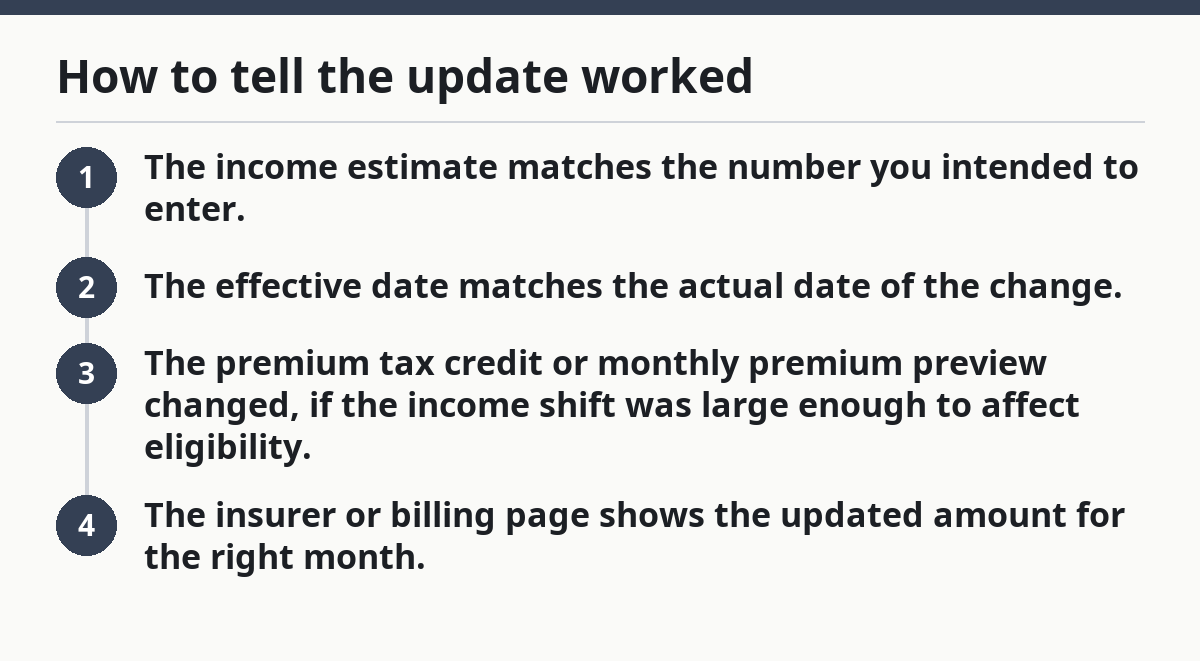
The update worked when the marketplace confirms the new income estimate, the coverage year record shows the revised figures, and the next premium notice reflects the same change. A successful submission is not just a saved draft; it is a completed record with a confirmation number, notice, or inbox message.
Check four items after submission:
- The income estimate matches the number you intended to enter.
- The effective date matches the actual date of the change.
- The premium tax credit or monthly premium preview changed, if the income shift was large enough to affect eligibility.
- The insurer or billing page shows the updated amount for the right month.
If any one of those pieces is missing, keep digging. The issue may be a processing lag, but it may also be that the system accepted the form while leaving a blank field or stale estimate in place. Save every notice until the year is closed and the tax filing is finished.
The honest limit here is simple: this process keeps your record current, but it does not eliminate reconciliation later. If your actual annual income ends up different from the estimate you reported, the final tax outcome can still change. That is why the estimate matters, and why a careful update is better than a fast guess.
What if your income changes twice in one coverage year?
Update the application each time the change becomes material and likely to last longer than a short blip. If income jumps in May and falls in September, the marketplace should reflect the current annual estimate after each shift, not the first one forever. That way, the record stays tied to the latest projection rather than an old number.
When the change happens twice, keep both dates in your notes and keep each confirmation. The marketplace may process the second update automatically after the first one, or it may require a fresh review if the second change alters eligibility again.
Drafted with AI; not yet reviewed by a person.