
Last updated: November 19, 2026
Quick Answer: Most freelancers can correct a mistake on a Marketplace application in the same saved application, and the fix usually takes one edit to one field plus a review of the summary page. How do freelancers correct a mistake on a Marketplace application? By signing back in, updating the wrong information, and resubmitting if the system asks for it.
If a freelancer entered the wrong income, household size, address, or identity detail on a Marketplace application, the fix is usually to go back into the application and edit the mistake before it is finalized. The exact Marketplace application correction process depends on what was entered, whether the application is already submitted, and whether identity verification has started on healthcare.gov. For a broader path through freelance coverage, see the freelance Marketplace coverage hub.
Key takeaways
- Most application mistakes can be corrected by reopening the existing application, not by starting over.
- Income, household size, address, and identity mismatches are the most common fixable errors.
- If a change affects eligibility or verification, the Marketplace may ask for proof or route the application through identity verification.
- It is usually best to correct the application as soon as the error is spotted, then review every screen before resubmitting.
- This guide is about fixing the application itself, not estimating freelance income or explaining what happens after submission.
The Marketplace application correction process: what to fix first
The Marketplace application correction process starts with the error that changes eligibility, not the one that merely looks messy. For freelancers, the highest-priority fixes are usually income errors, household size errors, address updates, and identity mismatches, because those can affect plan eligibility, premium tax credits, or whether the application can be verified at all.
The order matters. A typo in a phone number is annoying. A wrong Social Security number, a missed household member, or a stale address can send the application into a verification loop or put the wrong tax household on record. On healthcare.gov, the application is tied to your identity and household information, so one bad field can ripple through the whole form.
Use this rule of thumb: correct anything that changes the answer to “who is in the household, where do they live, and what income do they expect this year?” Those three pieces drive most Marketplace decisions. If the issue is only formatting — for example, a street abbreviation, a missing apartment label, or a capitalization problem — it is still worth cleaning up, but it is usually lower risk than a mismatch in legal name, date of birth, or projected self-employment income.
This page is for the person who already submitted or is about to submit and wants to fix the application itself. It is not for estimating freelance income for health insurance applications, and it is not for understanding the next steps after filing. If the problem is those other topics, a different page should handle them. For a broader path through freelance coverage, the freelance Marketplace coverage hub belongs here as the next stop.
How do freelancers correct a mistake on a Marketplace application?
Freelancers correct a mistake on a Marketplace application by signing back in, opening the saved application, editing the wrong fields, and resubmitting the corrected version. That is the short answer, and it is usually the right one if the application is still accessible in your healthcare.gov account.
Here is the practical sequence:
-
Sign in to your Marketplace account on healthcare.gov using the same login you used for the original application.
The result you want is the application dashboard, not a fresh account creation screen. -
Open the existing application instead of starting over.
The Marketplace often keeps your last application active, so you can return to the form, review the household and income sections, and change the wrong entry. -
Jump to the section with the error.
If the mistake is in income, household size, address, or identity details, go straight to that part rather than clicking through every screen in order.
The result should be a corrected field with the right figure, name, or address line. -
Save the change and review the summary page.
This is where many people miss a second error. A corrected income figure can be undermined by an old address or an extra household member still listed on the summary. -
Resubmit the application if the system asks for it.
Some changes trigger a new review or confirmation step. If the page asks for attestation, confirmation, or a submission button, use it so the Marketplace has the updated version. -
Watch for notices about verification or documents.
If the correction involved identity mismatches or a major data change, the application may be flagged for follow-up. The system may ask for identity verification or proof that the new information belongs to you.
This process works best when the mistake is caught early and the original application is still the current one. It is less tidy when the correction changes the legal identity details on the application, because identity verification can slow the flow down. A freelancer who uses a business name, a maiden name, or a shortened name should be careful that the application matches the legal name used for tax and identity records.
A common mistake is to assume that a typo is harmless. A wrong digit in income, a missing household member, or an address that does not match your identity documents can change the way the application is processed. The fix is not to guess; it is to edit the actual field and make the summary page agree with the real-world information. For background on Marketplace accounts and updates, the HealthCare.gov help center.
Fixing income errors without breaking the application
Income errors are corrected by replacing the wrong projected amount with the best current estimate, then checking that the rest of the application still matches the same tax household. For freelancers, income is often the field that causes the most trouble because it is not a paycheck number pulled from a W-2. It is a projection, and projections can be entered badly in two very different ways: too high or too low.
The correction is simple in form but important in effect. A freelancer who accidentally entered a monthly amount instead of an annual amount, or mixed business revenue with net self-employment income, should update the application so the income entry reflects the same method used everywhere else on the form. If the Marketplace application asked for household income, the number should match the household definition used on the rest of the application, not a rough personal guess.
The cost of leaving an income mistake in place is usually eligibility confusion. A too-low income entry can point the application toward a different subsidy result than a correct one would. A too-high entry can do the opposite. That does not mean you should restart the application every time the estimate changes by a small amount; it means you should correct the current application when the number was plainly entered wrong.
Freelancers should also keep an eye on the difference between a corrected estimate and a changing business year. If the error is only that a number was typed incorrectly, edit it directly. If the real issue is that your freelance workload has changed and the estimate is no longer current, the application still needs an updated number, but this page is not the place to explain how to estimate it from scratch. Use the application’s income section and the instructions on the site. The IRS self-employment tax page is a useful reference for self-employment income basics.
One useful habit: compare the income field with the exact unit the form uses. Annual, monthly, and weekly figures are not interchangeable. A form that asks for yearly income will need a yearly figure, not a monthly one entered by mistake. That sounds obvious, but it is one of the most common reasons a freelancer ends up with the wrong Marketplace answer.
Correcting household size, address, and identity mismatches

Household size, address, and identity mismatches are corrected by making the Marketplace record match your actual tax household, living address, and legal identity exactly. These are not cosmetic edits. A household size error can change who the application counts. An address error can send notices to the wrong place. An identity mismatch can block the application until it is verified.
Start with household size. If you accidentally left out a spouse, tax dependent, or other person the Marketplace counts in the household, the correction belongs in the household section, not in a note or comment field. The application should reflect the same people who belong in the tax household that year. If the wrong household size was entered because you rushed through a screen, fix the member list before you worry about anything else. For federal rules on household and tax-filing concepts, see the Marketplace glossary.
Address updates are next. Freelancers move, split time between addresses, or use a mailing address that differs from the place they live. The Marketplace application needs the address it is supposed to use, and the mailing address if the system requests one. If you entered an old apartment number, an outdated city, or the wrong ZIP code, update it. An incorrect address can lead to missing notices or a mismatch with identity records.
Identity mismatches require the most care. If the Marketplace application does not match your legal name, date of birth, or other identity detail, it may trigger identity verification. That step is common on healthcare.gov when the application cannot confirm who you are from the existing data. Do not “fix” an identity problem by guessing at a nickname or by changing one field while leaving the rest inconsistent. Make the legal record consistent across the application.
A good check is to read the identity fields as if someone else were comparing them to an ID document. Is the name spelled the same way? Is the date of birth correct? Does the address match what the system needs for contact or verification? If the answer is no, correct the field and then look for any follow-up message about verification.
What to do if the Marketplace will not let you edit the mistake
If the Marketplace will not let you edit the mistake, the application may already be in a state that requires review, verification, or account help rather than a simple self-service correction. That is the point where many freelancers waste time clicking around the same screen for 10 minutes instead of switching tactics.
First, look for a visible edit button, review link, or “return to application” option. Sometimes the issue is not that the correction is impossible, but that the system wants you to open the active application from the dashboard rather than from an old browser tab. If you are on a phone, try a desktop browser; some application screens are easier to handle on a larger display.
If the system still blocks edits, note the exact field and the message shown on screen. A message about identity verification is different from a general save error. A message about missing information is different from a completed application that is locked pending review. Those differences matter because they point to different fixes.
At that stage, the practical move is to use the Marketplace contact route shown in the account or on the notice you received. If the issue is identity-related, the correction may be tied to the verification process rather than the application form itself. If the issue is a data mismatch, support may tell you which field the system will accept and whether the change needs to be re-entered from inside the active application.
This is also where not to improvise. Do not create a second application just to “try again” unless the system explicitly tells you to. Duplicate applications can create more confusion than the original mistake. One active application with a corrected record is cleaner than two competing versions of the same person’s information. For official consumer guidance, the Marketplace application help page is the right place to start.
Mistakes freelancers make when correcting a Marketplace application
Freelancers make the biggest mistake when they fix one field and ignore the rest of the application trail. The wrong line is often not the only wrong line. A corrected income number that leaves a stale address, outdated household size, or mismatched identity detail can still cause trouble.
The most expensive habit is using a shortcut estimate to get the correction done faster. If the application is asking for a household total, do not enter a solo figure because it is easier to remember. If the form wants a legal name, do not substitute a nickname because it feels more natural. Those shortcuts are where verification problems start.
Another mistake is treating every change as urgent enough to restart from zero. That is not always the right move, so if the record is stuck, consult a Marketplace representative or another qualified professional before abandoning the saved application. Starting over can be the right move if the application is corrupted or the account is inaccessible, but in many cases it just duplicates work. The better move is to reopen the saved application, fix the specific section, and then review the summary page before resubmitting. The HealthCare.gov help center explains when account help is needed.
Finally, do not assume that a correction only affects the visible field. Income changes can affect the whole tax picture. Household changes can alter who belongs on the application. Identity changes can trigger verification. The correction is not finished when the cursor leaves the box; it is finished when the application reflects the same real-world information in every relevant section.
A quick cleanup checklist before you hit submit
A final review takes about 5 minutes and catches the mistakes that matter most. Read the application with four questions in mind: is the income figure entered the way the form asks for it, is the household list complete, is the address current, and does the identity information match legal records?
If you want a fast pass through the form, check these items in order:
- Income amount uses the correct time frame.
- Household size matches the actual tax household.
- Address is current and spelled correctly.
- Legal name and date of birth match identity records.
- Any warning about verification has been read, not skipped.
- The summary page reflects the edited information.
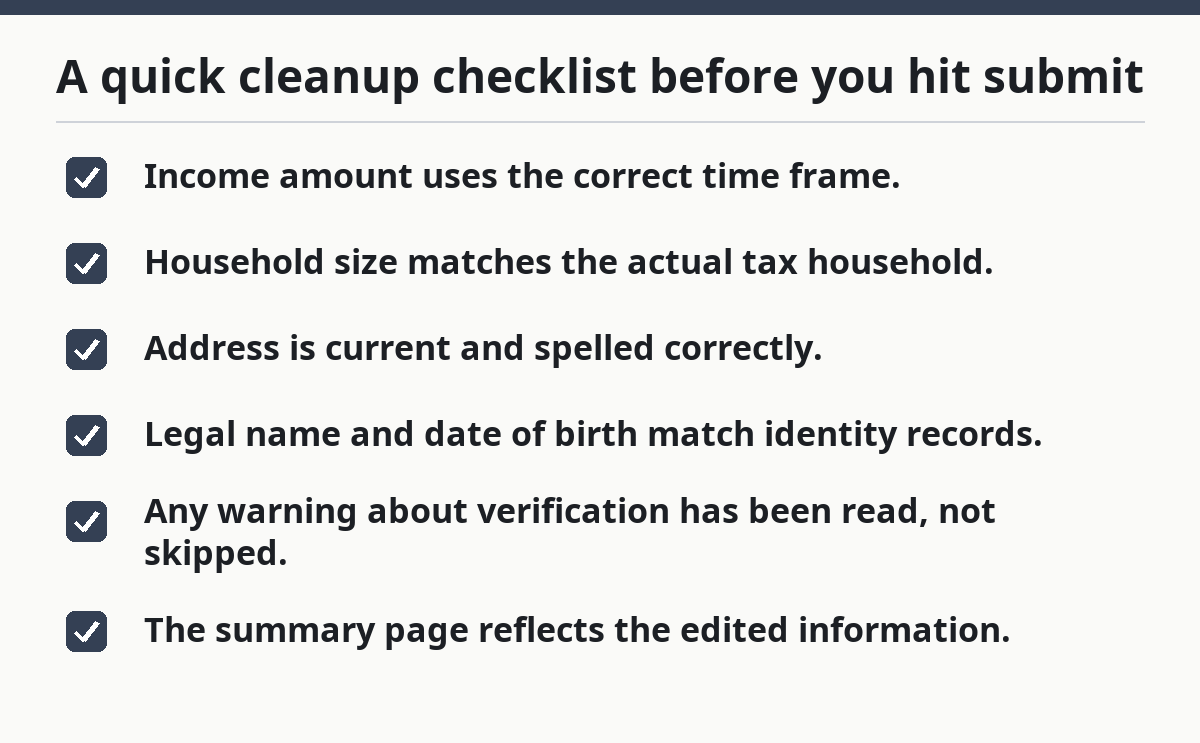
That last screen is the one that counts. A Marketplace application can look fixed in one section and still carry the old data in the summary if the correction was not saved or resubmitted. Read the summary as the system will see it. If one number or name still looks wrong, stop and edit it before you leave the page.
For more help with the bigger coverage path, the freelance Marketplace coverage hub is the right place to branch out after the correction is done. This page’s job is narrower: get the application corrected, not to explain every downstream consequence.
Can I edit my application after submitting it?
Usually, yes, if the application is still available in your Marketplace account and the system allows changes. The correction process often starts by reopening the saved application and editing the wrong field, then resubmitting. If the application is locked or tied to identity verification, the system may require a different step before it accepts the change.
What if I entered the wrong income on Marketplace?
Correct it as soon as you notice it. Income errors are one of the most important fixes because they can affect eligibility and subsidy calculations. Open the application, update the income field with the right estimate, review the summary page, and resubmit if the system asks for confirmation or additional review.
Drafted with AI; not yet reviewed by a person.