Last updated: November 19, 2026
Key Takeaways
- HealthCare.gov lets freelancers compare Marketplace plans, prices, and coverage before they enroll.
- A full HealthCare.gov comparison usually starts after creating an account and Marketplace application.
- Freelancers use HealthCare.gov by finishing the application first, then comparing plans and estimated savings.
- The best HealthCare.gov filters for freelancers match expected care use, not just the shortest list.
Freelancers use HealthCare.gov to compare Marketplace health plans, check whether they qualify for lower monthly costs, and narrow choices before they enroll. How do freelancers use HealthCare.gov to shop for coverage? By creating an account, starting the Marketplace application, answering income and household questions, then using the plan list and filters to compare health plans side by side. For official guidance, see HealthCare.gov and the Centers for Medicare & Medicaid Services Marketplace resources.
What HealthCare.gov actually gives a freelancer
HealthCare.gov gives a freelancer a way to shop for Marketplace health plans in one place, with prices and coverage details shown before enrollment. That matters because a freelancer usually has to solve two problems at once: finding medical coverage and figuring out whether a lower premium is available through the Marketplace application.
The site is not a general insurance directory. It is the federal Marketplace entry point for people in states that use HealthCare.gov, and the shopping tools are tied to the Marketplace application. That means the plan list you see is based on the information you enter, not just a public catalog of every health plan sold in your state.
For a freelancer, the practical value is this: the system can show full-price plans and plans with estimated savings in the same search flow. That gives you a cleaner way to compare a $0 deductible bronze plan against a higher-premium silver plan, or to decide whether a broader network is worth the extra monthly cost. Those trade-offs are the real work of shopping.
This page is about the shopping process only. It does not cover whether you qualify for the Marketplace, how long you have to enroll, or what happens after you submit the application. The hub on freelance Marketplace coverage handles the larger map; this page stays focused on the path from login to plan comparison.
Set up your HealthCare.gov account before you browse
You need an account before you can use the full shopping flow on HealthCare.gov, because the plan list is tied to your Marketplace application. Browsing may start with general plan information, but a real comparison usually depends on your household and income details.
Start with the account screen and create a login using an email address you can access quickly. Then confirm your email, set a password, and save the security questions or recovery method in a place you can find again. If you lose access, you may lose time when you are trying to compare plans during a narrow shopping window.
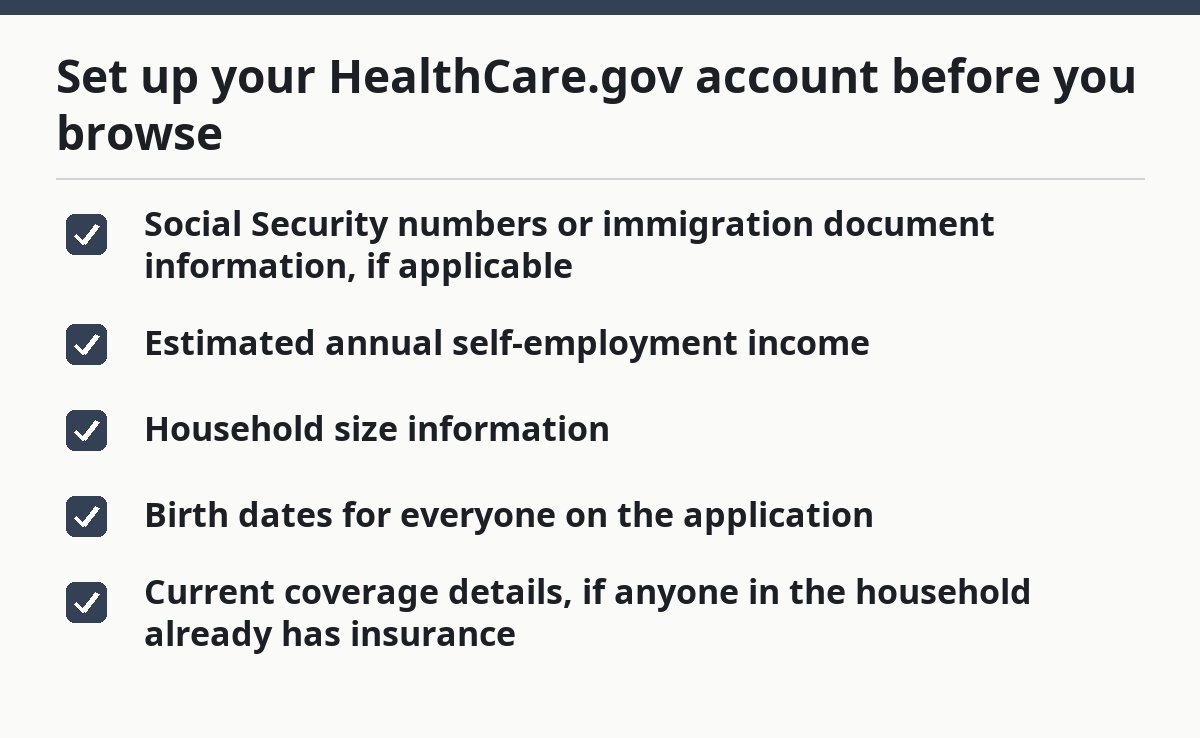
A freelancer should treat this like setting up a work tool, not a casual signup; if you are unsure about your own setup, consult a professional or review HealthCare.gov’s account guidance. Keep these items nearby before you begin:
- Social Security numbers or immigration document information, if applicable
- Estimated annual self-employment income
- Household size information
- Birth dates for everyone on the application
- Current coverage details, if anyone in the household already has insurance
The account itself does not decide your coverage. It gives you access to the shopping and application screens where the site can estimate whether you may qualify for savings. If your income is variable, enter the best estimate you can defend from recent invoices, bank deposits, and a realistic view of the next 12 months. A careful estimate is better than a flattering one.
The main mistake here is rushing through setup and leaving the account half-finished. That usually costs time later, because the plan search may not open until the application has enough information to generate results. The better move is to finish the basic profile in one sitting, then come back for the plan comparison once the site has something useful to show.
How do freelancers use HealthCare.gov to shop for coverage?
Freelancers use HealthCare.gov by completing the Marketplace application first, then using the shopping results to compare plans and estimated savings. The process is more like filling out a tax form than opening a shopping cart, because the prices you see depend on the household and income details you enter.
Here is the core procedure:
-
Log in and start the Marketplace application.
Open your HealthCare.gov account and choose the application or application update path. The result is a profile the Marketplace can use to generate plan options instead of a generic quote page. -
Enter household details.
Add everyone who should be counted in the application, including age, relationship, and whether anyone needs coverage. These details shape the plan list and the cost estimates you see. -
Report self-employment income as a yearly estimate.
Enter your expected annual income, not just this month’s earnings. The site uses that estimate to check whether you may qualify for premium tax credits or other savings. -
Review the subsidy check.
Wait for the Marketplace application to calculate whether you may get lower monthly costs. The result is often the biggest pricing pivot in the whole shopping flow, because a silver plan with savings can end up looking very different from the same plan at full price. -
Open the plan list and apply filters.
Sort by monthly premium, deductible, estimated total cost, metal level, network, or drug coverage. The result is a shorter list that matches your expected care use, not just the cheapest headline price. -
Compare a few plans side by side.
Look at deductible, copay, coinsurance, out-of-pocket maximum, and provider network. The difference between two plans can be a small monthly premium but a very different $6,000 or $9,000 cost ceiling when you need care often. -
Save or choose a plan from the comparison screen.
Use the saved comparison to narrow the field before enrollment. You are not guessing from memory; you are choosing from the same set of benefits and prices the site already displayed.
The biggest mistake is shopping only by premium. A lower monthly price can hide a much higher deductible, narrow network, or prescription coverage that does not fit your routine. That is especially risky for freelancers with uneven income, because a plan that looks cheap up front can become expensive the moment you need regular care.
A second mistake is entering income too low just to see “better” savings. That can distort the subsidy check and create a plan picture that does not match reality. A careful estimate is better than a flattering one.
Use the plan filters that actually matter
The best HealthCare.gov filters for a freelancer are the ones that match expected use, not the ones that make the list look shorter. Premium, deductible, provider network, prescription coverage, and estimated total cost are the five filters that usually do the real work.
Start with monthly premium if cash flow is tight. Freelancers often need the lowest possible monthly bill, but that should be the first filter, not the final decision. A plan with a lower premium can still cost more over a year if the deductible is high and you see a clinician a few times.
Then check deductible and out-of-pocket maximum. The deductible tells you what you may pay before the plan starts sharing costs on many services. The out-of-pocket maximum is the annual ceiling for covered services, and it can matter more than the premium if you expect surgery, imaging, frequent therapy, or chronic-condition care.
Provider network is the next filter that changes the real-world value of a plan. A freelancer who already has a doctor or specialist should confirm whether that provider is in-network. If the network is narrow, a plan can be cheap and still be a bad fit. The same goes for prescriptions: if a medication sits on a higher tier or is not covered the way you expect, the plan may not work even if the premium looks good.
Metal level is useful, but it is not a shortcut. Bronze, silver, gold, and platinum describe the general cost-sharing shape, not the exact bill you will pay. A silver plan can be the smartest choice for a freelancer who qualifies for savings, while a bronze plan may suit someone who wants a low monthly premium and rarely uses care. The right answer depends on actual use, not the color label.
How the subsidy check changes the plan list
The subsidy check can lower the monthly price enough to change which plans make sense, and that is why freelancers should run it before comparing seriously. A plan that looks too expensive at full price may become competitive once the Marketplace application applies estimated savings.
The site uses the information in your application to estimate whether you qualify for premium tax credits or other help. That check is not a side feature; it is part of the shopping process. If your self-employment income is variable, the estimate matters because the Marketplace is trying to map a year of coverage against a year of expected income, not just the last 30 days.
This is where many freelancers get tripped up. They look at a plan before completing the subsidy check and assume the price is final. Then they later discover that the same plan carries a different monthly cost after the application is complete. The reverse also happens: someone expects help and finds that the estimate does not move the premium enough to make a plan affordable. Both outcomes are normal.
A careful shopper looks at the full price and the estimated price side by side. The better question is which plan is cheapest after the Marketplace application accounts for the household and income details you entered.
There is a trade-off here. The subsidy estimate can make a silver plan look especially attractive, but a cheaper-looking plan may still be the better fit if you rarely use care and want to protect cash flow. The right answer depends on whether you value low monthly spending or lower cost when you actually need treatment, and a licensed broker or other professional can help if you want advice specific to your situation.
If the income number changes during the year, the pricing picture can change too. That is part of the reason freelancers should use a realistic estimate and keep it updated if the application asks for changes.
Compare plans like a freelancer, not like a browser
A freelancer should compare plans by annual use, not by the first premium number on the screen. That means looking at 12 months of likely care, not a single monthly bill.
Use this comparison order:
- Premium: Can you pay it every month, even in a slow season?
- Deductible: Would you actually meet it if you had a few visits or a minor procedure?
- Out-of-pocket maximum: What might a covered year cost at most?
- Network: Are your doctors, hospitals, and nearby urgent care centers included?
- Drug coverage: Are your prescriptions covered at a manageable tier?
- Copays and coinsurance: How much do routine visits and specialist care cost after the deductible?
A freelancer with uneven income may prefer a plan that keeps the monthly premium predictable, even if the deductible is higher. Another freelancer may want a plan with a slightly higher premium and lower out-of-pocket exposure because care usage is hard to predict. There is no universal winner.
The common trap is comparing only two plans and stopping there. HealthCare.gov usually makes more sense when you compare three or four plans in the same metal level or across adjacent levels. That gives you a better read on how much extra you pay for a better network or lower deductible. It also helps you see whether a plan is expensive for a good reason or just expensive.
One more limitation: HealthCare.gov can organize the information, but it cannot decide for you how much risk you are willing to carry. If a freelancer has regular medical needs, the safest move is usually to spend more time on the deductible and out-of-pocket maximum than on the monthly premium alone.
A practical way to finish the shopping flow without missing the real details
The safest way to finish the shopping flow is to slow down at the comparison screen and read the plan details line by line. HealthCare.gov is useful because it puts the details in one place, but it still rewards careful review.
Before you pick a plan, check the summary for three things: the premium after any estimated savings, the deductible or copay structure, and the provider network. Then scan the prescription section and the out-of-pocket maximum. That takes a few minutes, but it prevents the most expensive kind of mistake: buying a plan that looked fine in the search results and fails on the details.
This is also the point where a freelancer should separate “good enough” from “best value.” Good enough means the plan fits the budget and does not break on a key doctor or medication. Best value means the plan gives a sensible balance of monthly cost and protection across a 12-month year. Those are not always the same plan.
A freelancer who is comparing coverage for the first time should resist the urge to speed through the last screen just because the plan list looks familiar. The last screen is where the numbers that matter live. A plan with a low premium and a $0 deductible is rare enough that it deserves extra scrutiny; a plan with a broad network and a fair out-of-pocket maximum may be worth more than a cheaper headline price.
For general guidance on plan structure and the Marketplace shopping framework, HealthCare.gov’s plan pages and the federal Marketplace resources from the Centers for Medicare & Medicaid Services are the most relevant public references. This article stays on the shopping flow itself, because that is the part freelancers need to use well.
Do freelancers need an account to browse plans?
Usually, an account is needed for the full shopping flow, because the Marketplace application drives the plan results and pricing. You may be able to view some general information before logging in, but the useful comparison tools depend on your application details. If you want estimates tied to your household and income, plan on creating the account.
Can I compare plans before I apply?
You can look at plan information first, but the most useful comparison happens after you start the Marketplace application. The application is what opens personalized pricing and subsidy estimates. Without it, you may see general plan data, but not the version that reflects your household and income.
Drafted with AI; not yet reviewed by a person.